
Table of Contents

How I built a digital storefront without writing a single line of code using commercetools for Builders

Emilio Di Zazzo
Emilio Di Zazzo
VP Sales, Americas
Published
July 16, 2026
Estimated reading time
1
minutes

Is it really possible to create a digital storefront using prompts instead of code? Our VP Sales Americas, Emilio Di Zazzo, took up the challenge and built a World Cup-themed store for fans using commercetools for Builders. Here, he shares how he pulled it off without developer skills or assistance.

How a VP Sales exec built a digital storefront with commercetools for Builders

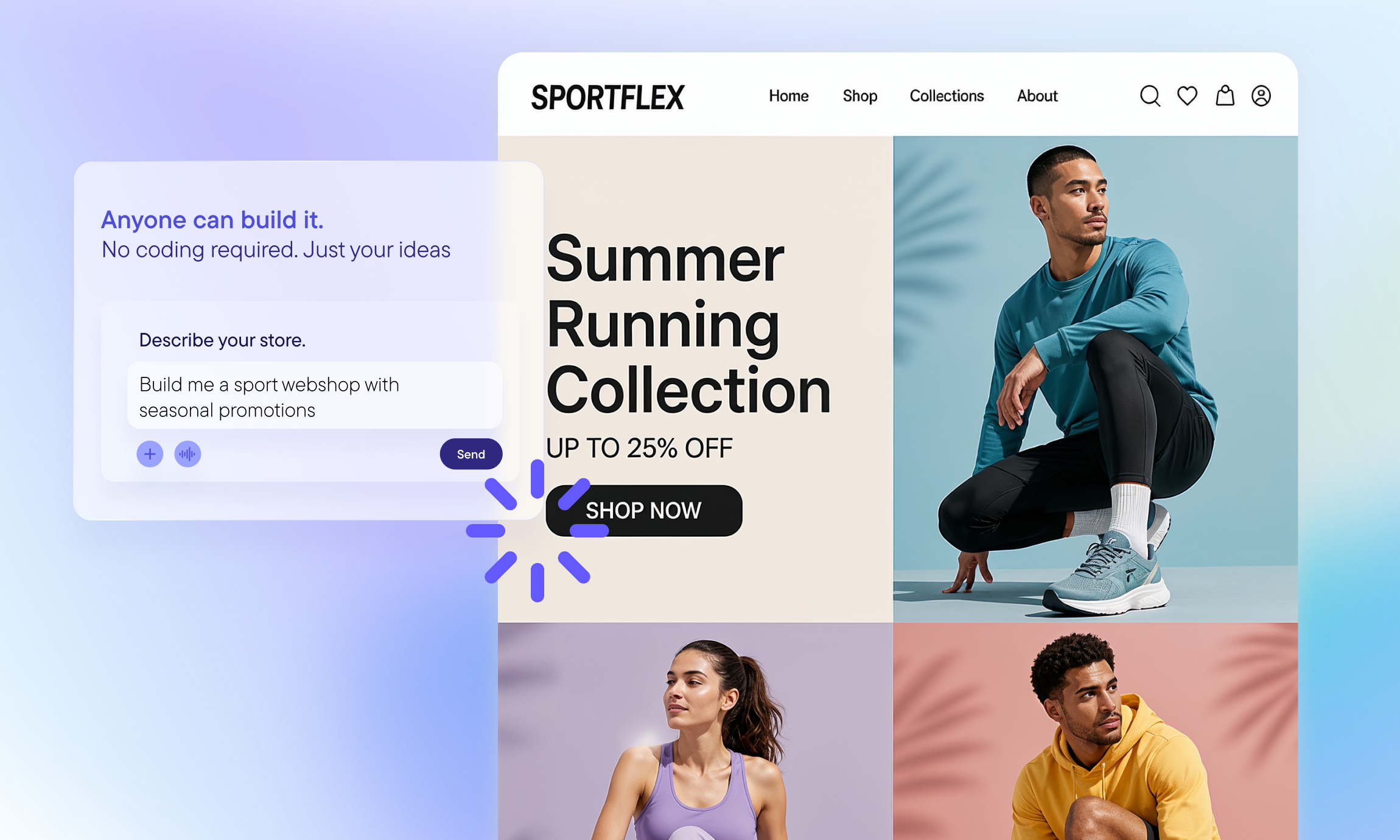
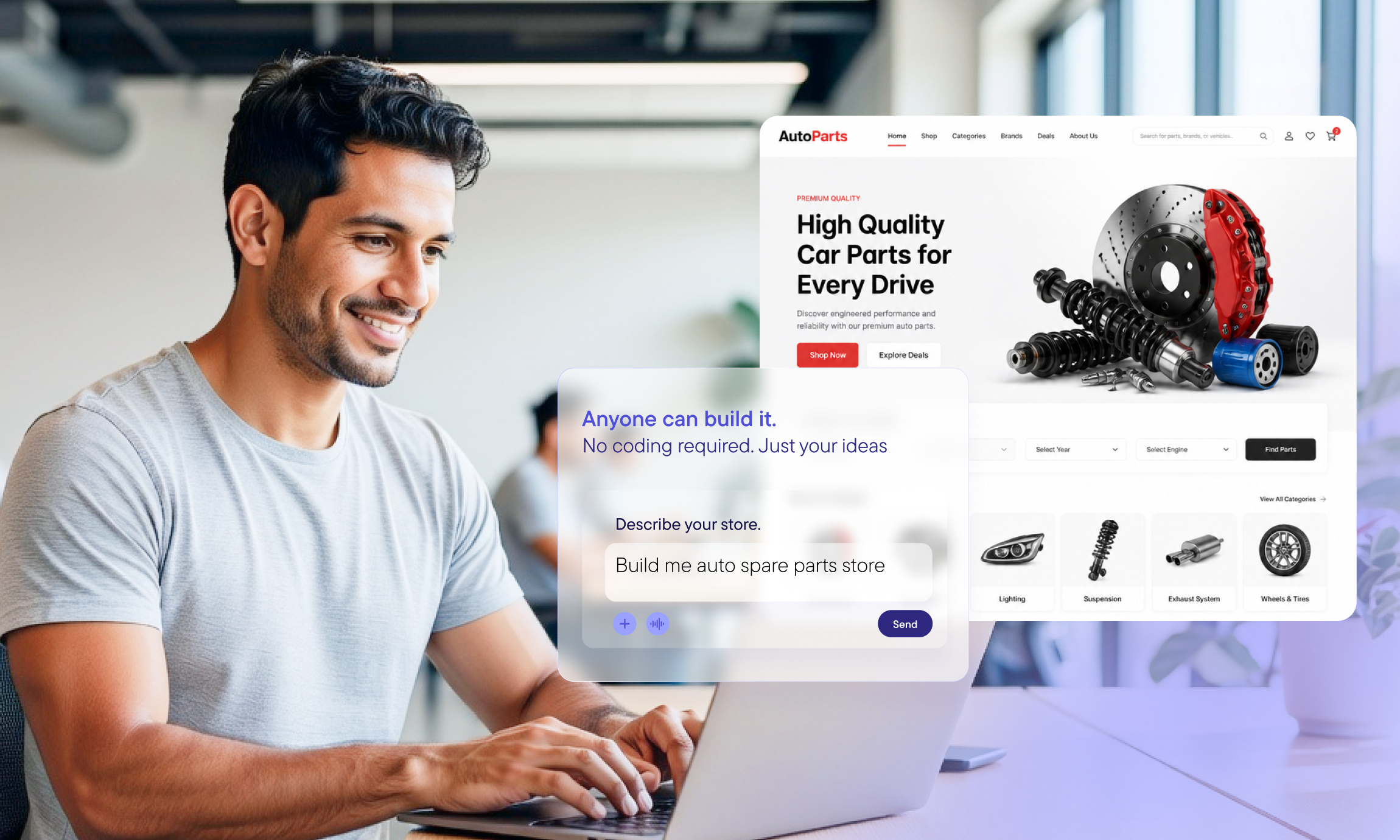
The promise of commercetools for Builders is simple: Anyone can build a fully fledged eCommerce site without having to code anything or ask developers for help. I’m one of those non-technical people — a VP of Sales, actually — who has always wanted to build something like this but never had the skills to do so.

I decided to experiment with the 2026 World Cup as the theme for a digital storefront named “Sphere” — a homage both to the ball that 22 players chase around the pitch for 90+ minutes and to the commercetools platform

The challenge was to build the Sphere store using only AI tools, without manual platform configuration or developer assistance, in a single session, and without writing a single line of code. I used eight integrated tools throughout the process, generating 90 images and seeding 96 products.

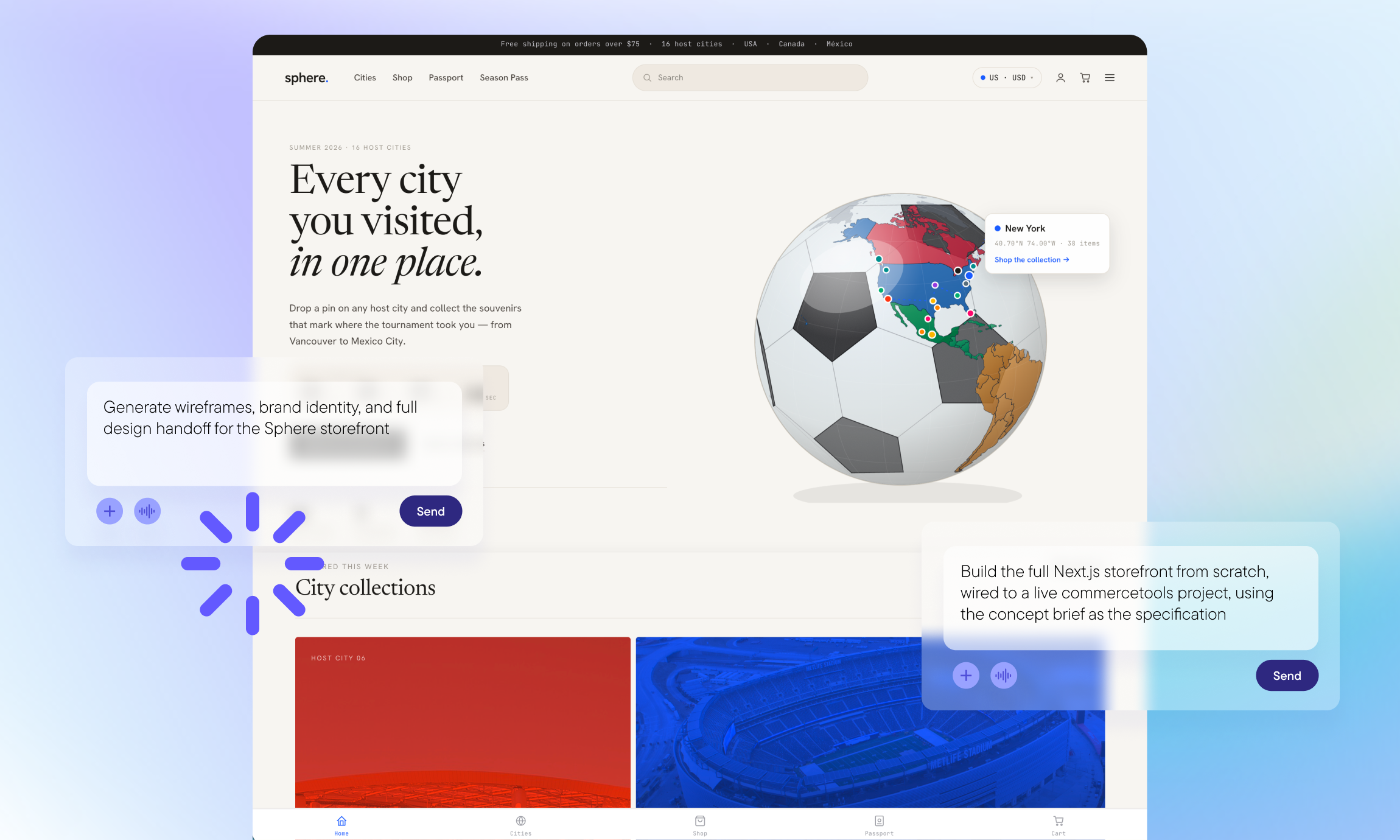
Here’s what the final result looks like: 

And you can check the Sphere webshop for yourself. 

That said, here’s how I built the Sphere webshop in more detail, including the tools I used and the key prompts that took it from concept to a live storefront.

The AI stack behind this demo 

Let’s start with an overview of the AI tools I used: 

  • Wispr Flow: Voice-to-text dictation at the speed of thought. I described issues, attached screenshots and directed Claude Code completely hands-free.
  • Claude (Cowork): I developed the concept brief, customer persona, feature plan and prompts.
  • Claude (Design): Created the brand wireframes, design system and a 10-page design handoff package.
  • Claude Code: Built the storefront, integrated APIs, seeded products, iterated on UX improvements and handled deployment.
  • commercetools for Builders + commercetools Sphere: Powered the catalog, search, promotions, subscriptions, checkout and order management.
  • Gemini (Imagen API): Generated 90 product images, automated through a Python script.
  • Resend: Sent transactional emails for customer order confirmations and new-order notifications to administrators.
  • Vercel: Enabled one-command deployment and rapid redeployment during the UX iteration process.

One thing worth noting: commercetools for Builders works with any AI tools, so you’re free to use whichever models and assistants you prefer.

What was built, in a nutshell

As I mentioned earlier, the goal was to create a fully wired commerce engine — not a mockup — with the real-world capabilities of a modern storefront.

This is what was built:

  • Product discovery: 96 products, 16 city collections (one for each tournament host city) and faceted search.
  • Product detail pages: Images, variants and add-to-cart functionality. 
  • Wishlist: Ability to save items across sessions. 
  • Sphere Passport: A loyalty program where purchases from different city collections earn stamps. Those stamps unlock Bronze, Silver and Gold tiers, each offering discounts powered by the commercetools promotions engine.
  • Fan season pass: Post-tournament subscription with recurring orders. 
  • Full checkout: End-to-end checkout powered by the commercetools Checkout Browser SDK.
  • Multi-locale architecture: English (US), French (Canada) and Spanish (Mexico), with locale routing, currency switching and translated content. 
  • Order management: An admin view to advance order status, with transactional emails sent via Resend for new-order notifications (admin) and order status updates (customer).

It’s important to note that the storefront is fully connected to the commercetools platform, so every product, order, customer, discount and address lives in commercetools — not in a mock database. I used the Merchant Center — commercetools’ business tooling — only to verify data. Everything else was connected through APIs using Claude Code.

Finally, every order is live in commercetools: Placed by the shopper through the storefront, visible to the admin and confirmed in the Merchant Center.
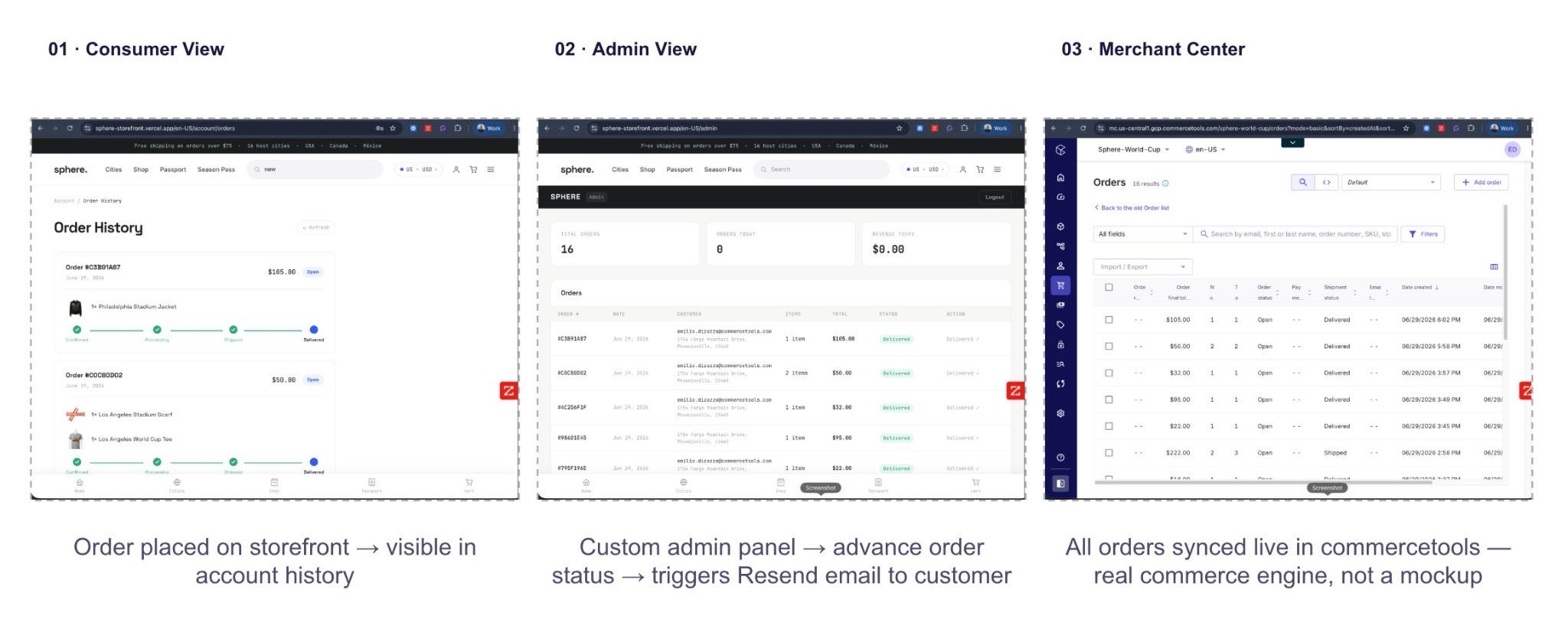
Every order is live in commercetools.

From blank page to live store, and the tools I used 

To achieve the final result, I went through four steps using a variety of tools. 

1. Brief and design

Like any new project, you need to define what you want to achieve and be as specific as possible. In this step, I defined the brand, customer persona and feature set. I used Wispr Flow to describe issues and ideas without having to type anything and Claude Cowork to develop the concept brief, customer persona, feature plan and prompts.

Next came the brand’s look and feel. I used Claude Design to generate wireframes, define the brand identity and create a complete design handoff for the Sphere storefront.

This is what Claude Design delivered:

  • 10-page wireframe set (mobile-first).
  • Atlas Grid design system.
  • Color tokens and typography scale.
  • Component patterns (cards, hero sections, navigation, checkout).
  • Full design handoff README.

The prompt I used:

Design wireframes for Sphere, a football tourist souvenir e-commerce storefront built on commercetools. The store sells city-inspired fan merchandise organized around the 16 host cities of the 2026 World Cup tournament across the US, Canada, and Mexico.

The customer is a football tourist who travels between host cities and wants to buy souvenirs that commemorate each place they visit. The primary navigation is city-first, not category-first.

Please wireframe 10 pages, including: Homepage (city map hero), City Collection Page, Product Listing, Product Detail, Cart, Checkout, Customer Account, Sphere Passport Loyalty Hub, Fan Season Pass Subscription Page, and Search Results (guest vs. logged-in states side by side).

Visual direction: clean, modern, editorial sports lifestyle. Neutral base palette with bold city-specific color accents. Mobile-first. Three locales: English/USD, English+French/CAD, Spanish/MXN.

2. Scaffold the storefront

The goal was to build a complete Next.js storefront from scratch, connected to a live commercetools project and using the concept brief as the specification. The tool I used for this step was Claude Code.

The output from Claude Code:

  • Complete Next.js storefront connected to a live commercetools project.
  • 96 published products across 16 cities, with product types and categories.
  • Sphere Passport loyalty program and Fan Season Pass.
  • Multi-locale routing (four locales).
  • Seed scripts, product types and categories, as well as customer groups and discounts created through the commercetools API.

The prompt I used:

Build a B2C fan souvenir storefront called “Sphere” for the 2026 World Cup tournament using Next.js and the commercetools AI plugin. The store sells city-inspired merchandise across 16 host cities
(11 US, 2 Canada, 3 Mexico). Primary navigation is city-first.

Implement:
Multi-locale routing: /en-US, /en-CA, /fr-CA, /es-MX
Sphere Passport loyalty (Bronze/Silver/Gold tiers via commercetools’ customer groups + promotions engine)
Fan Season Pass subscription (commercetools’ recurring orders)
Personalized search via commercetools’ Product Search API — guest vs. logged-in member experience
Checkout via commercetools’ Checkout Browser SDK
Seed script: 96 products across 16 cities with city, category, country, and featured attributes

Use the attached concept brief as the full specification.
Scaffold the complete project, configure the commercetools client, and generate all seed data.

3. Integrating the design package 

In this step, I took the completed design handoff from Claude Design and provided it to Claude Code, which applied it to the scaffolded storefront, replacing the placeholder styles with the full Atlas Grid design system.

The output from Claude Design:

  • Space Grotesk headings and Inter body typography.
  • Per-city accent colors applied across all pages.
  • Atlas Grid spacing and component patterns.
  • City hero tints and editorial product cards.
  • All 10 wireframes matched in the live storefront.

The prompt I used:

Apply the Atlas Grid design system from the uploaded Claude Design handoff package to this storefront.

Use:
Typography: Space Grotesk for headings, Inter for body
Color system: neutral base (white, off-black, warm grey) with per-city accent colors as defined in the design README
Spacing and grid rules from the Atlas Grid spec
Component patterns: product cards, city hero, navigation bar, passport stamp map, checkout steps — all per the wireframes

Replace all placeholder styles. Update every page to match the 10 wireframes in the handoff. The city collection pages should use the city’s accent color as the hero tint. Product cards should show the city badge and use the card pattern from the spec.

The result should look like the wireframes — clean, editorial, sports lifestyle aesthetic.

4. Iterate and deploy 

After scaffolding, the real work was iterative UX refinement through conversations, not code. Here are the steps I took to refine the storefront. Each fix was deployed to Vercel within minutes.

  • Test the flow: Open the live storefront, navigate through a user journey and identify something that could be improved.
  • Describe and screenshot: Use Wispr Flow to dictate the issue at the speed of thought, then attach a screenshot of the page that needs improvement.
  • Claude Code fixes: Claude Code interprets the feedback, edits the relevant files, and applies the fix.
  • Redeploy: One command (vercel --prod) pushes the change to the live Vercel URL.
  • Verify: Confirm the fix on the live site and repeat the process for the next issue.

Turning ideas into pre-production: commercetools for Builders

commercetools for Builders is designed for eCommerce business professionals who want to innovate quickly and turning ideas into pre-production experiences at the speed of thought.

It enables: 

  • Business teams: Marketers, designers and product managers can build live demos without waiting for a development sprint. Show stakeholders a real store experience, not just a slide deck.
  • Innovation teams: Founders and engineers can validate ideas end-to-end before committing valuable engineering resources.

The takeaway is simple: If I could create a fully functional storefront from scratch without any coding experience, anyone can. The age of the builder means ideas no longer need to wait for technical resources to become reality.

Ready to get started? Start building your commerce storefront with AI

Emilio Di Zazzo
Emilio Di Zazzo
VP Sales, Americas
How a VP Sales exec built a digital storefront with commercetools for Builders