

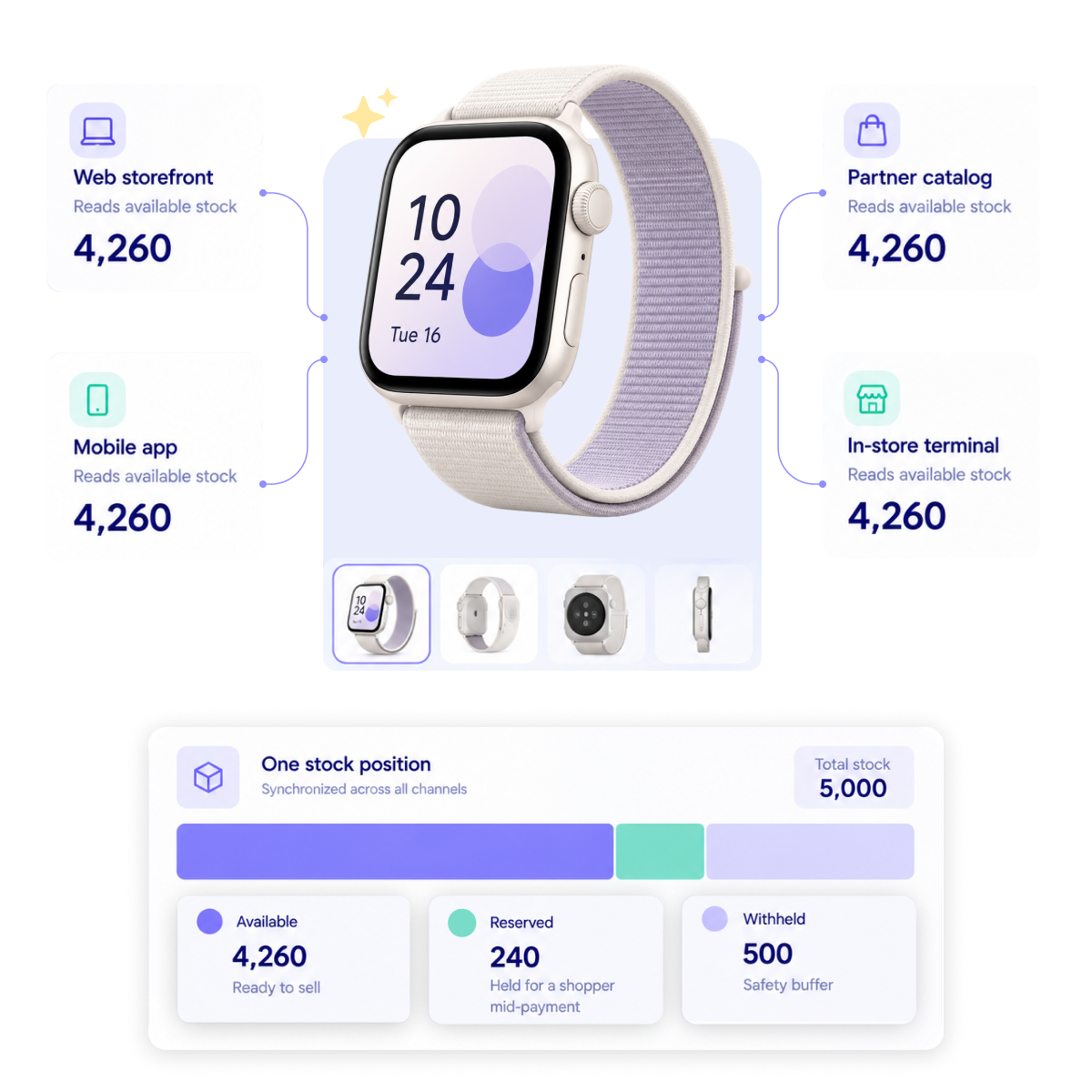






Keep inventory accurate from shelf to checkout

Track available stock across every warehouse and store in real-time, reserve inventory while shoppers pay, and establish safety stock levels for flash sales.

Contact us
Trusted by global enterprises

Keep inventory available from cart to checkout

Every item that sells out between the add-to-cart and the payment confirmation is a refund, a support ticket and a customer who doesn’t come back. Inventory Management tracks what’s genuinely available to sell across all your channels and locations, reserves it while the shopper checks out, and helps you keep a buffer so high-traffic moments don’t drain the supply chain.

Included in B2C Commerce, B2B Commerce and B2X Commerce products.

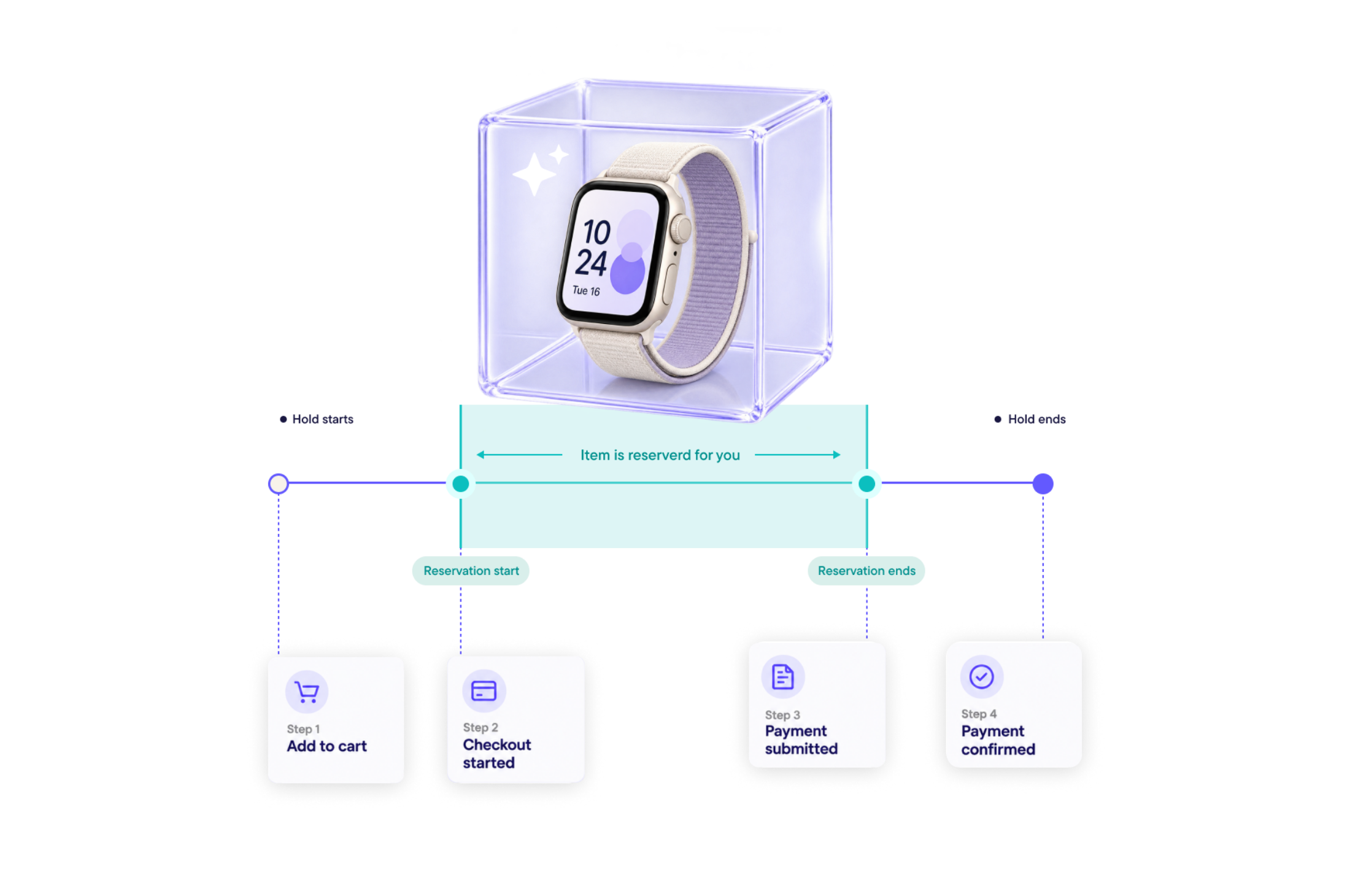
Stock held through checkout 

Inventory is reserved for a specific shopper/buyer for a set number of minutes while they complete payment, and is released automatically if they don’t after the timeframe you set. Inventory reservations scale to 100,000 per minute alongside 1,000 orders per minute, so the protection holds even under extreme traffic peaks.

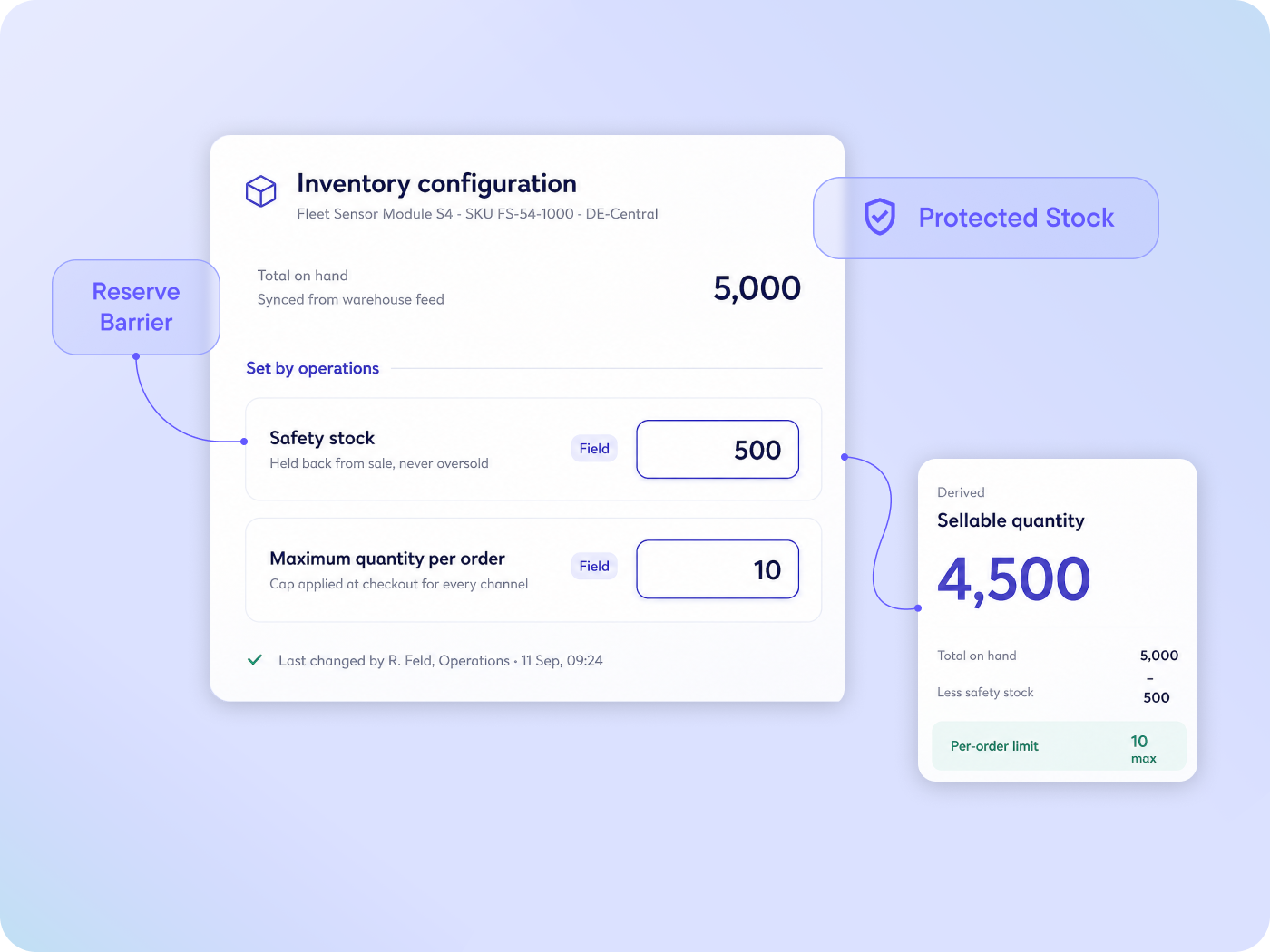
Buffers that survive a flash sale 

Safety stock levels and maximum quantity per order stop high-traffic events and aggressive bulk buyers from draining supply. The limits are set by your operations team as configuration, rather than hard-coded into your storefront by developers.

Instant updates that never slow the storefront

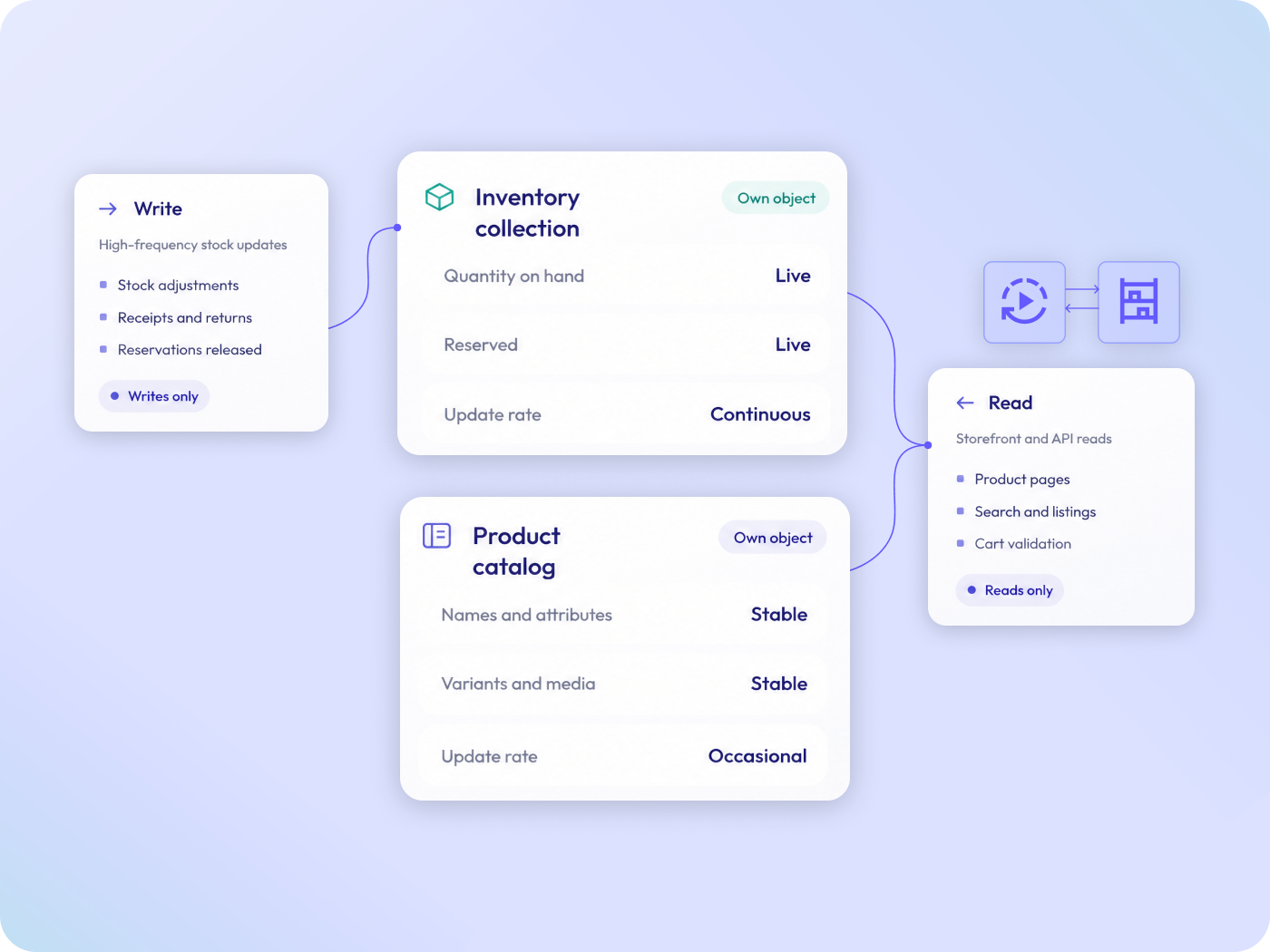
Inventory records live in their own dedicated collection rather than inside the product catalog. Syncing availability across thousands of store channels in real time doesn’t create database locks or bottleneck the shopper experience.

Availability, reservation and control

01

Safety stock and quantity thresholds: Supply protected from its own demand

Maximum quantity per order and configurable safety stock buffers hold back a defined amount of inventory from online sale, preventing overselling during peak events and stopping a single bulk order from clearing the warehouse.
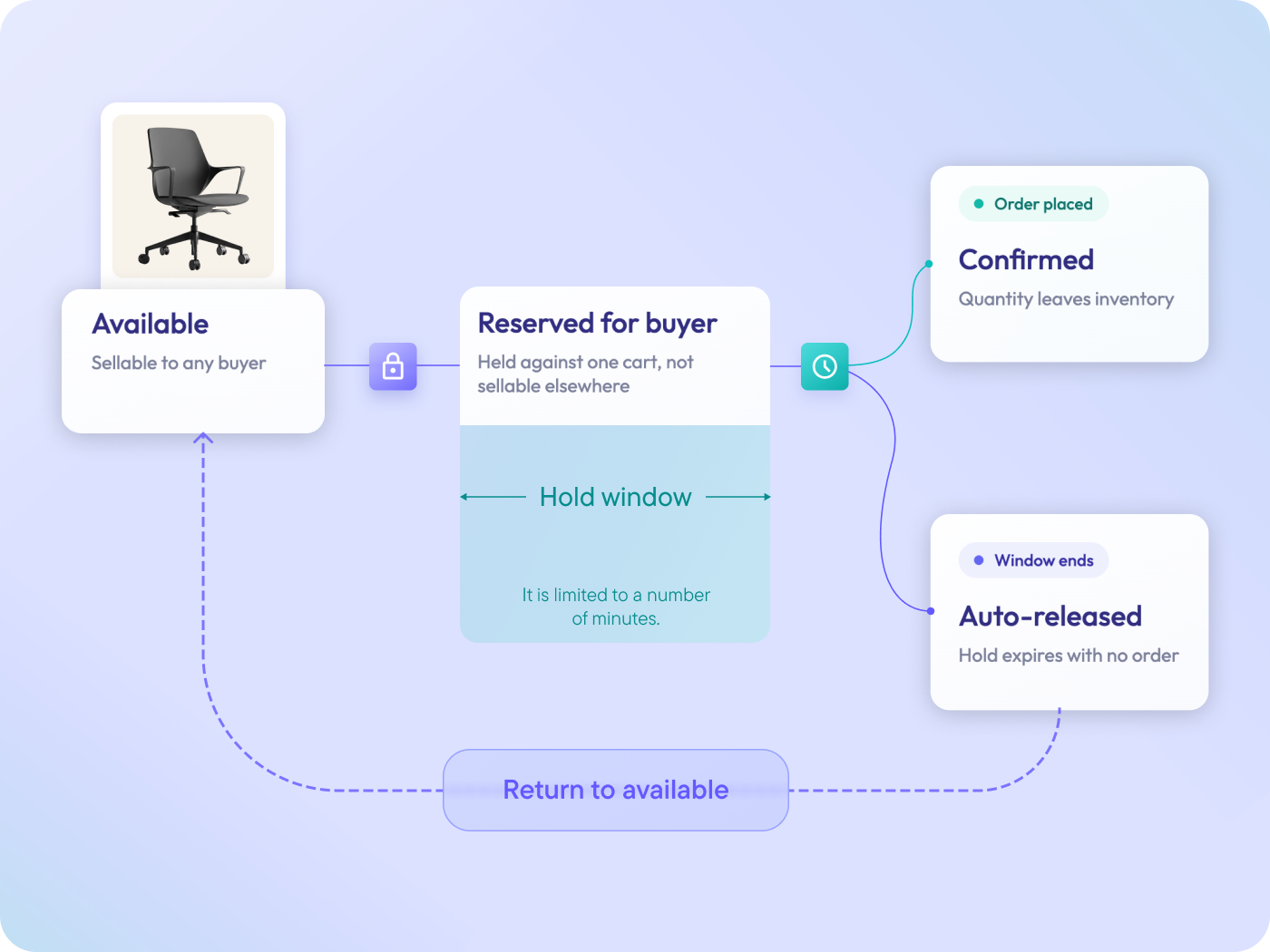
Temporary inventory reservation: The last step of checkout stops failing

Stock is reserved for a shopper for a predefined time window while they pay. If the purchase doesn’t go through, the item is returned to the available pool automatically, stopping bots from overbuying and abandoned carts from hoarding sellable goods indefinitely.

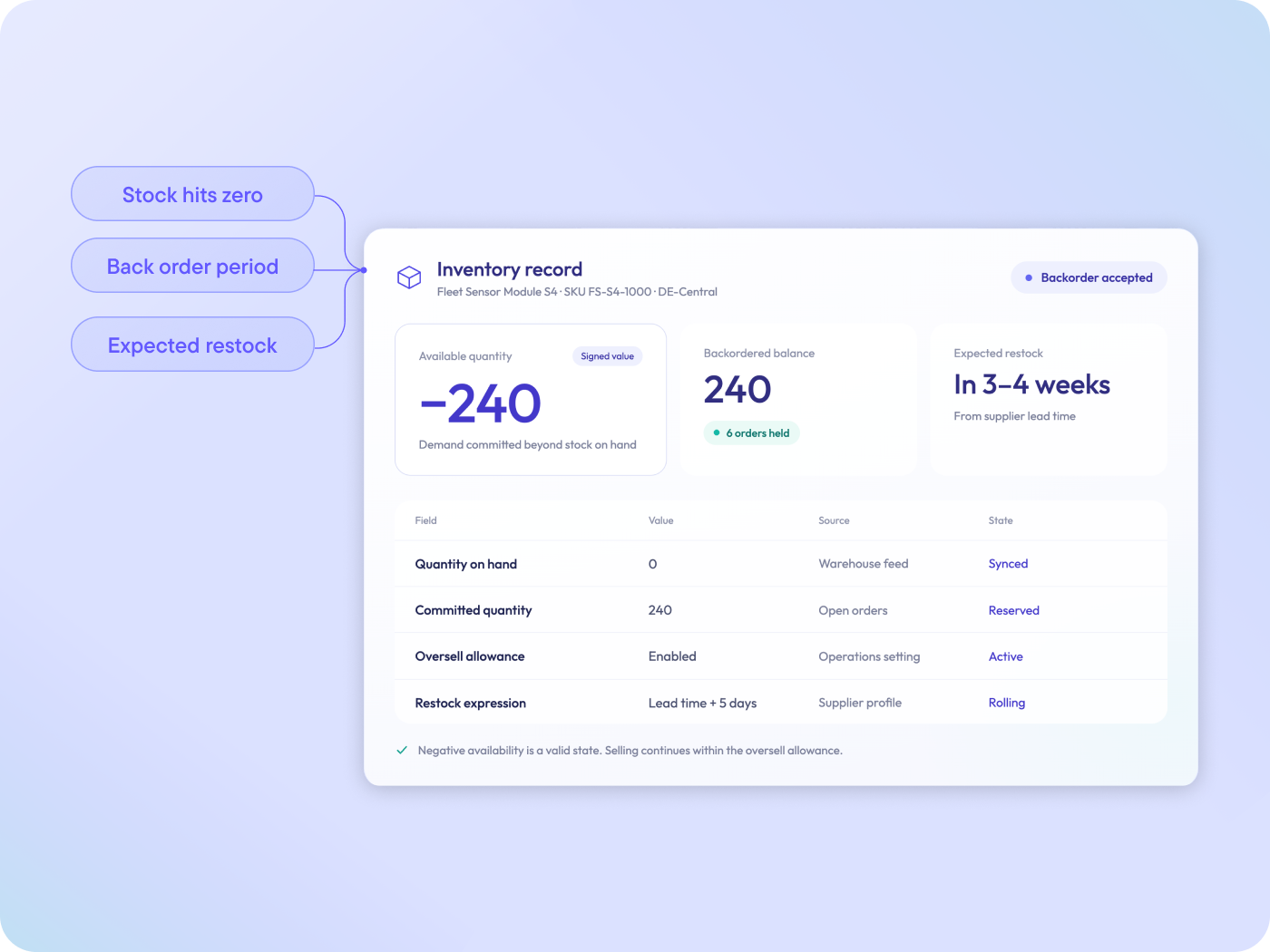
Native backorders and pre-orders: Revenue continues after stock hits zero

Available quantity may go negative on a per-record basis, with the platform tracking the exact backordered balance and maintaining an expected restock window. 

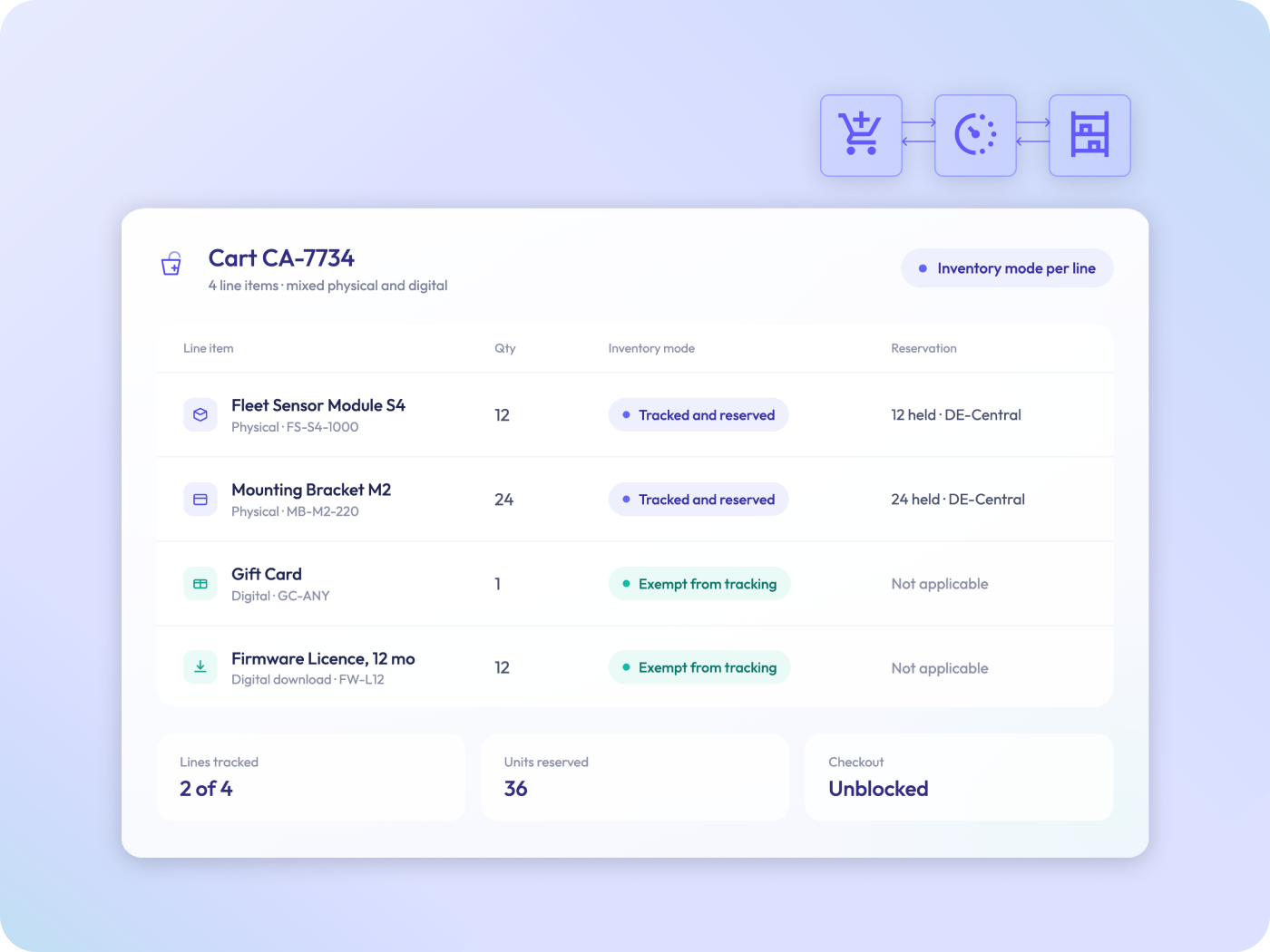
Mixed inventory in a single cart: Digital and physical items coexist without workarounds

Inventory mode is set at line-item level, so physical stock is reserved and tracked while gift cards, downloads and warranties are exempt from stock checks. This removes the need to fake infinite quantities to stop checkout errors.

Decoupled inventory architecture: Scale in the background without a cost in the foreground

Checking availability and updating availability travel separate paths, and inventory lives in its own collection rather than inside the product catalog. A warehouse pushing thousands of stock updates a minute never slows down a shopper loading a product page.

06

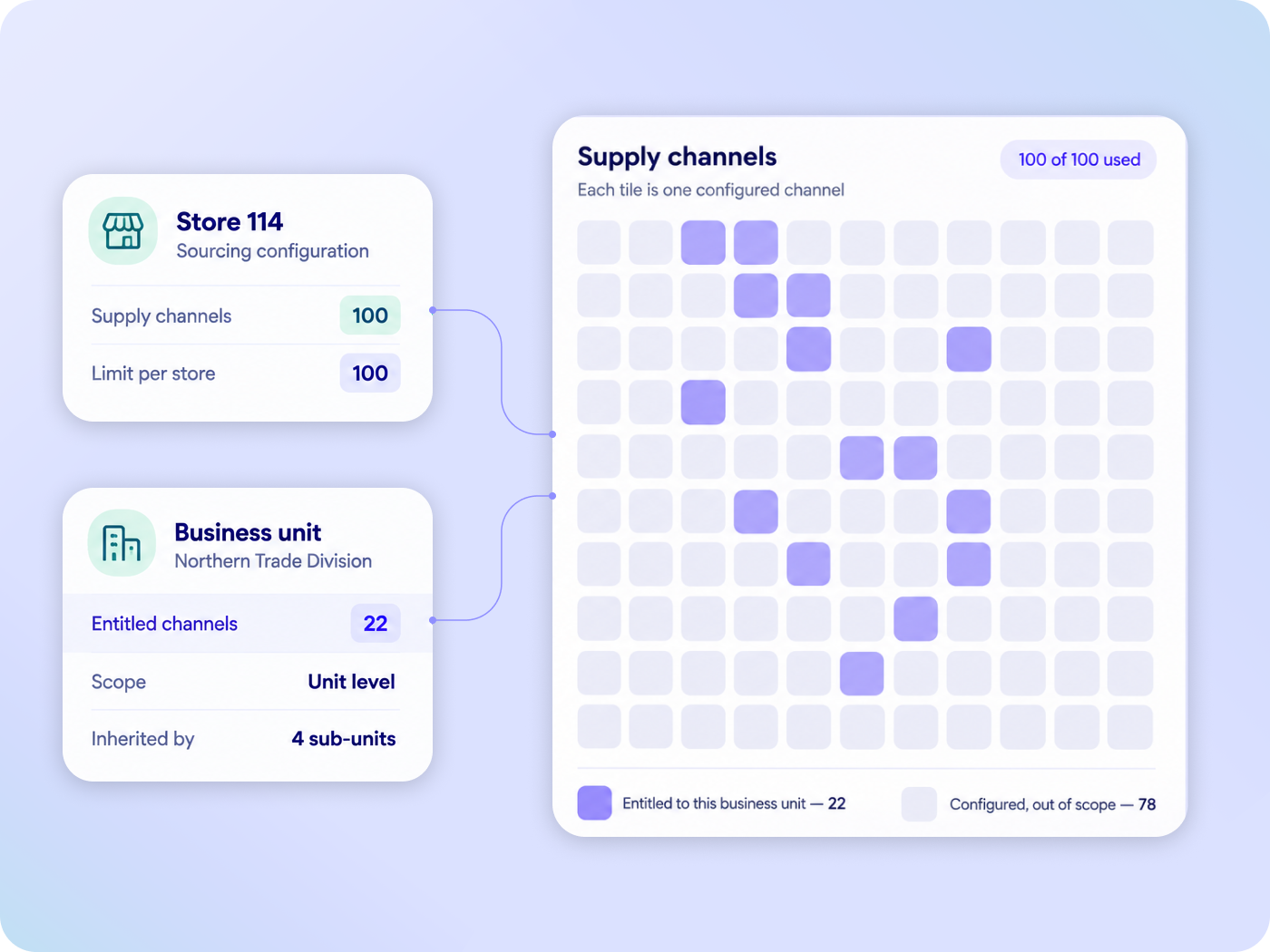
Omnichannel fulfillment reads from the right place

Supply channels tie stock to specific warehouses and stores, with up to 100 inventory supply channels configurable per store. These can be linked to business units, so corporate buyers only draw from the locations their contract covers.

‍

WHY COMMERCETOOLS 

Enterprises that scaled inventory management

Explore more commerce capabilities

Cart & Order Management

Capture the sale, however complex the cart.

Explore

Pricing

Establish every market’s price, selected automatically.

Explore

Promotions

Discount precisely, without giving away margin.

Explore

Frequently asked questions

Is this module an Order Management System or a Warehouse Management System?

Neither. The Inventory Management module tracks the stock available to sell on your storefront. Backend routing, physical supply chain logistics, incoming purchase orders and warehouse operations stay with your OMS or WMS, which it integrates with.

Can it prevent overselling during a flash sale?

Yes, through two mechanisms working together: Safety stock buffers that hold inventory back from online sale, and reservations that lock stock for a shopper while they pay.

How many locations can one store draw from?

Up to 100 inventory supply channels per store by default.

Can we hide exact stock numbers from buyers?

Yes. Raw stock numbers can be masked and returned as generalized statuses instead, so competitively sensitive supply data never reaches the storefront.

How does it handle digital products?

Inventory mode is set per line item, so digital goods bypass stock checks while physical goods in the same cart are reserved normally.

Have questions?

Talk to our team about your commerce requirements.

Contact us
Get in touch

The Digital Commerce AI Company

Join 500+ enterprises already running on commercetools.