


Get in touch
Stay informed
Receive monthly updates on trends, products and growth insights in your inbox.





Our documentation is one of our greatest strengths: It’s extensive, detailed and full of guidance to help you master our products — so much so that our customer ARK Bokhandel described it as the “best-documented piece of software” they ever worked with.
However, connecting the dots between individual APIs, like the Carts API or Orders API, and implementing complete solutions, such as a full checkout flow, can be challenging even for experienced users.
That’s why we built the commercetools AI Assistant, your sidekick for navigating, understanding and implementing our platform with ease.
The AI Assistant is an intelligent, context-aware companion embedded directly in our technical documentation. Unlike a generic search tool, it doesn’t just point you to pages — it helps you to:
In essence, the AI Assistant transforms our extensive documentation from a static resource into a dynamic, interactive guide. It accelerates learning, simplifies complex concepts and helps you implement solutions faster.
Here’s an overview of how it works:
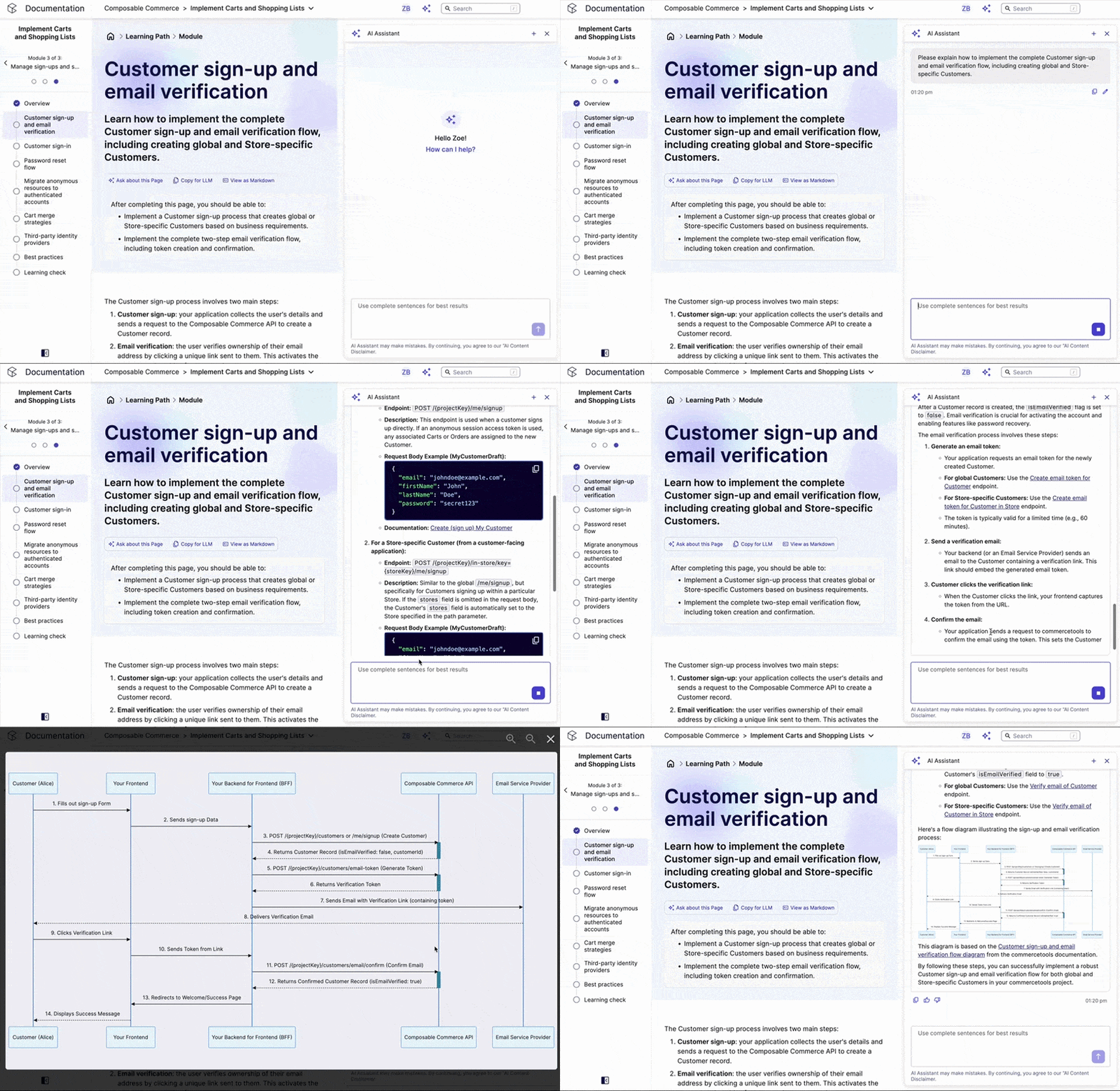
The AI Assistant provides persistent, context-aware conversation threads for continuous guidance. Leveraging the documentation as its foundational data, it can explain concepts, suggest best practices and link disparate information together, serving primarily solution architects and developers.
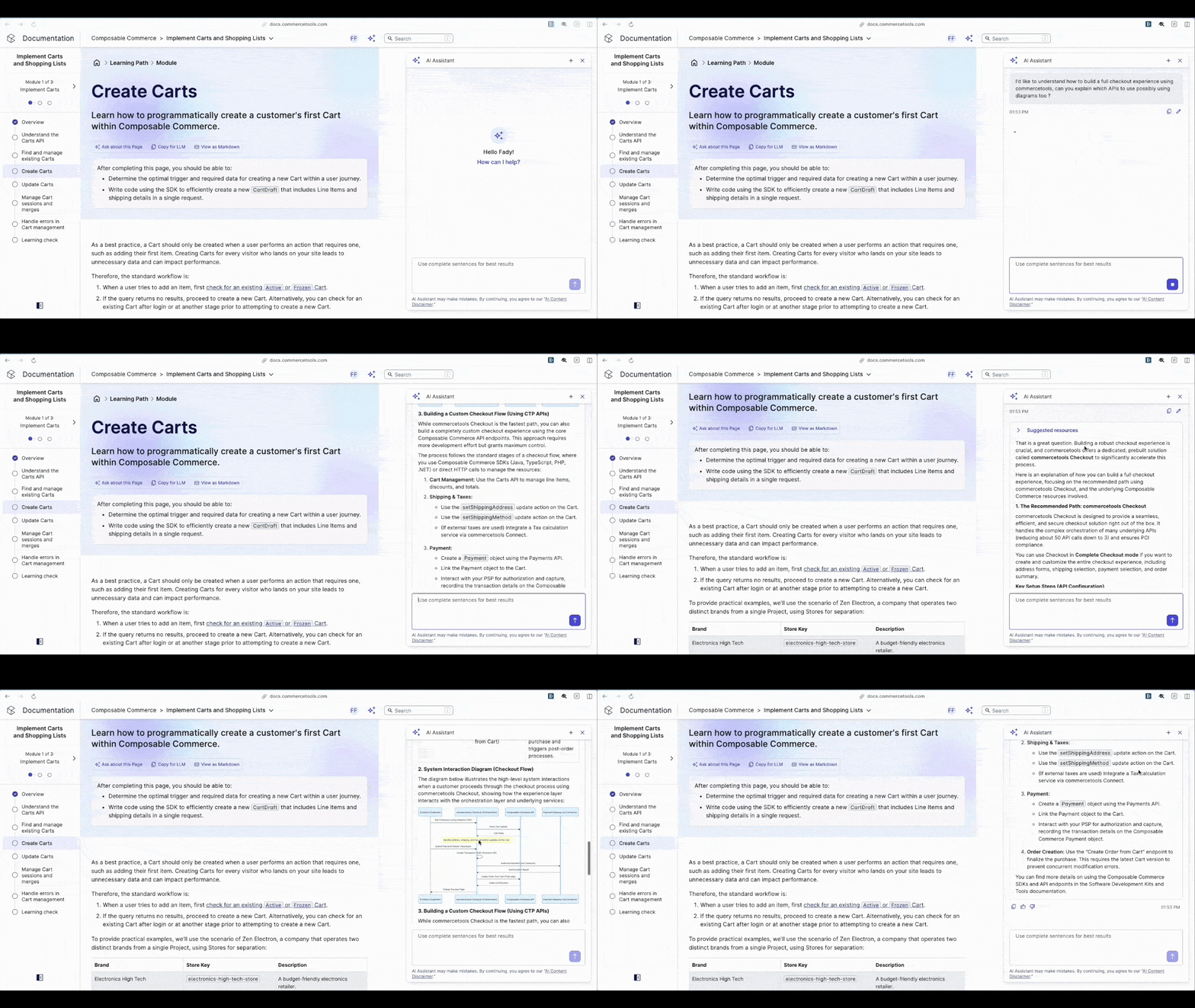
Solution architects frequently face the challenge of aligning high-level business requirements with the optimal combination of APIs and processes. They need to understand how flows like checkout, cart management or payment integration come together, and where commercetools fits into the bigger picture.
With the AI Assistant, solution architects can:
For example:
Developers are typically focused on implementation details, from reading API references to using code snippets in their applications. They want quick, accurate and actionable answers without having to switch contexts or dig through multiple pages.
The AI Assistant helps developers by:
For example:
We’ve gone the extra mile for solution architects and developers to make their job faster and easier. Here’s what else the AI Assistant offers:
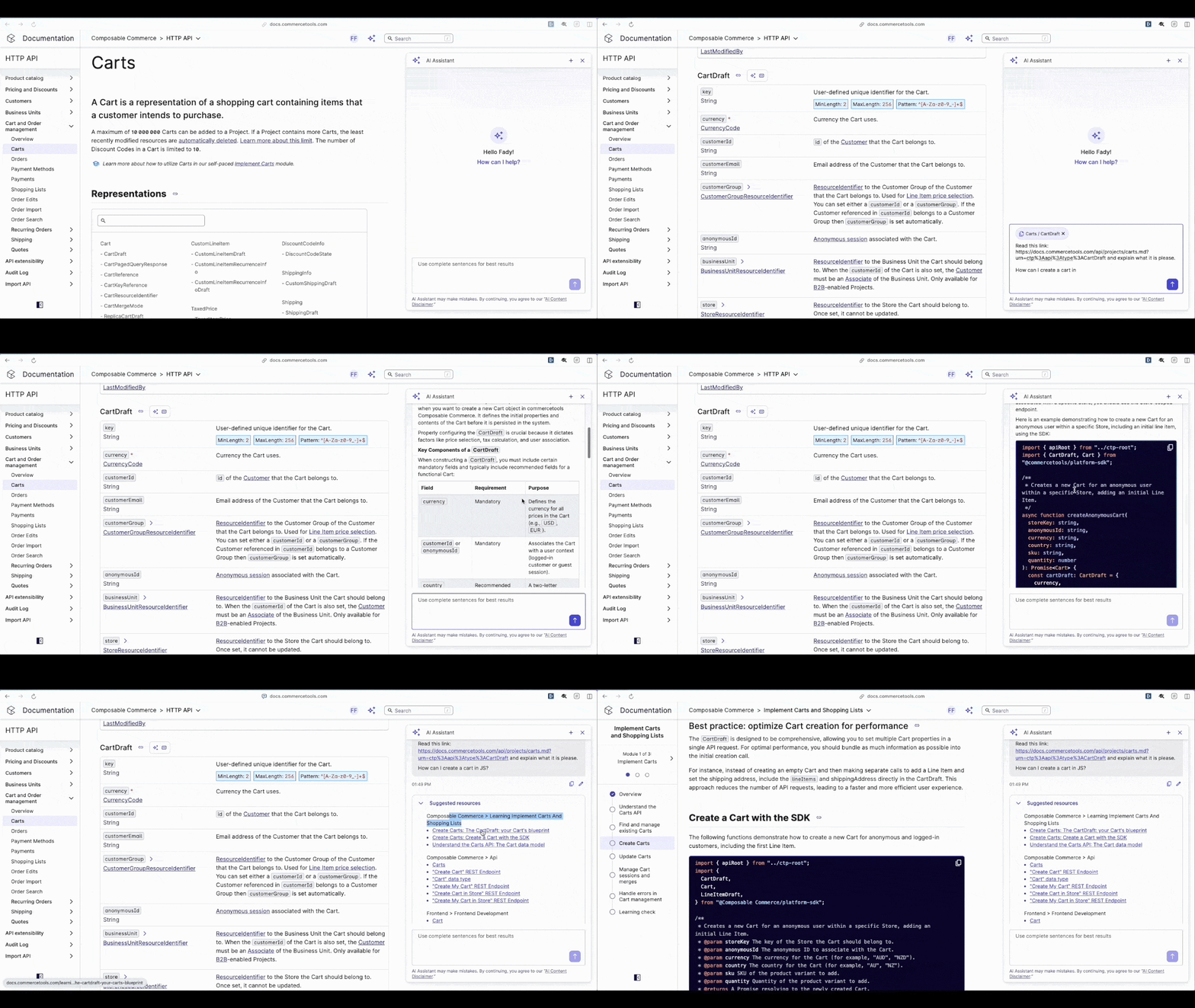
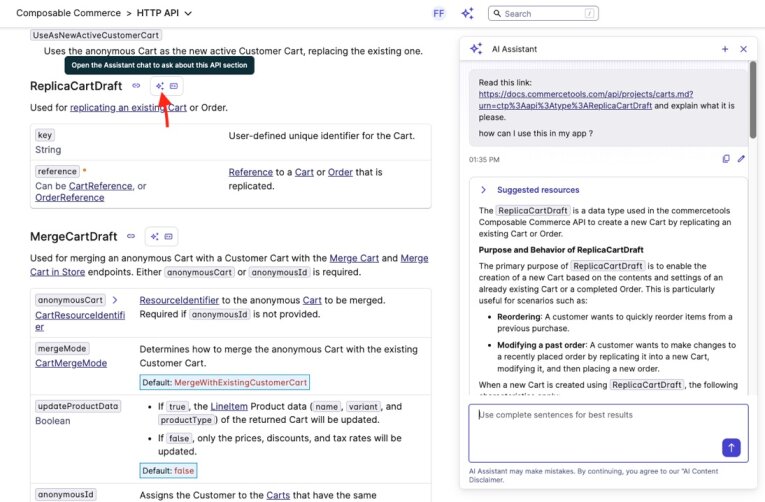
Our AI Assistant now allows users to ask questions about specific API documentation pages. By highlighting a section or clicking the “Ask about this page” button, the Assistant reads the relevant content and provides precise, context-aware answers.
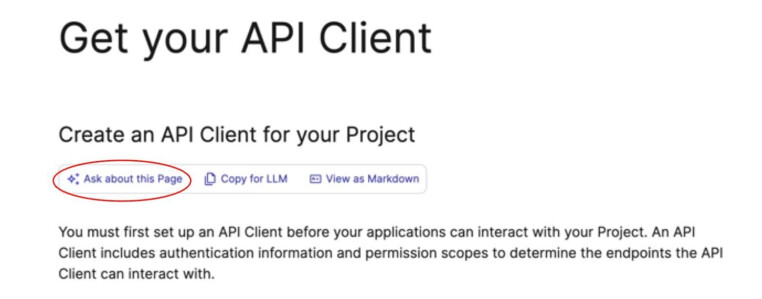
For example:
“How can I create a cart in JavaScript?”
The Assistant will generate the code snippet and explain the underlying logic, saving developers time and reducing the risk of errors.
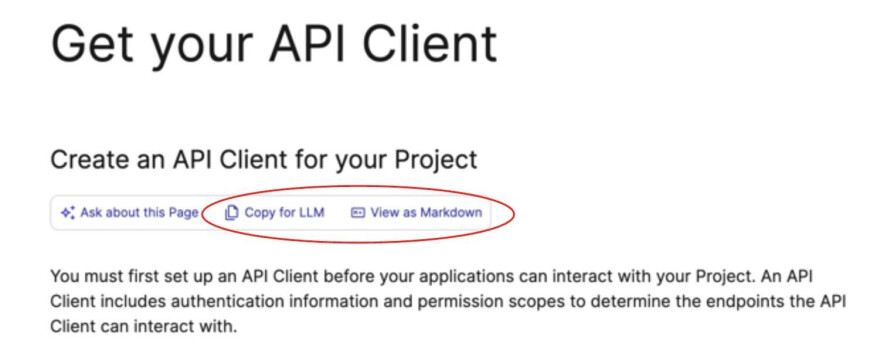
We also added a “Copy for LLM” feature. This copies the page content in a clean, markdown-ready format suitable for external large language models, like ChatGPT or Perplexity. This ensures that developers can leverage advanced AI tools without losing context or formatting.
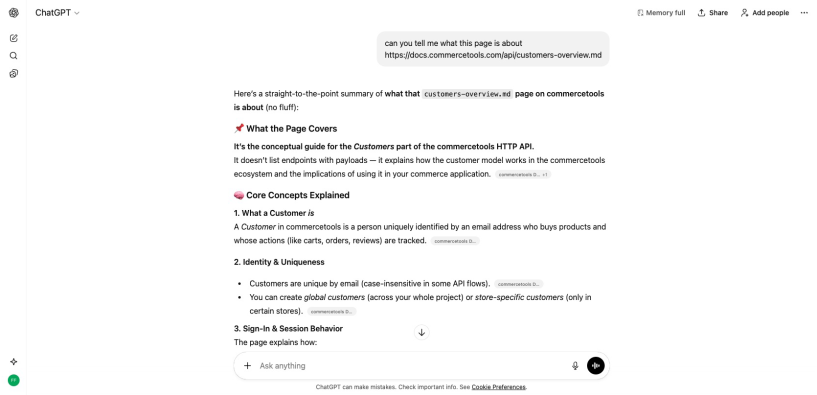
Unlike general-purpose AI tools, the Assistant doesn’t rely on a single page. It consumes multiple relevant links in the background, offering richer context and reducing hallucinations common in generic LLMs.
Every answer includes “suggested resources”, referencing the documentation pages the AI used. This transparency allows users to verify the source and explore further if needed.
Whether you’re designing complex commerce solutions or writing code, the AI Assistant makes your workflow smoother, your answers more precise and your experience more intuitive.
Experience it today and discover a smarter way to navigate, learn and build with commercetools.
Getting started is simple:
With the AI Assistant as your guide, you can focus on building solutions rather than hunting for answers.

A guitarist at heart and an engineer by passion, Fady is an Engineering Manager and Tech Lead for a team that focuses on Innovation and Developer Experience, driving AI-powered solutions that improve workflows, boost creativity, and elevate the Developer Experience across organizations.
Receive monthly updates on trends, products and growth insights in your inbox.